
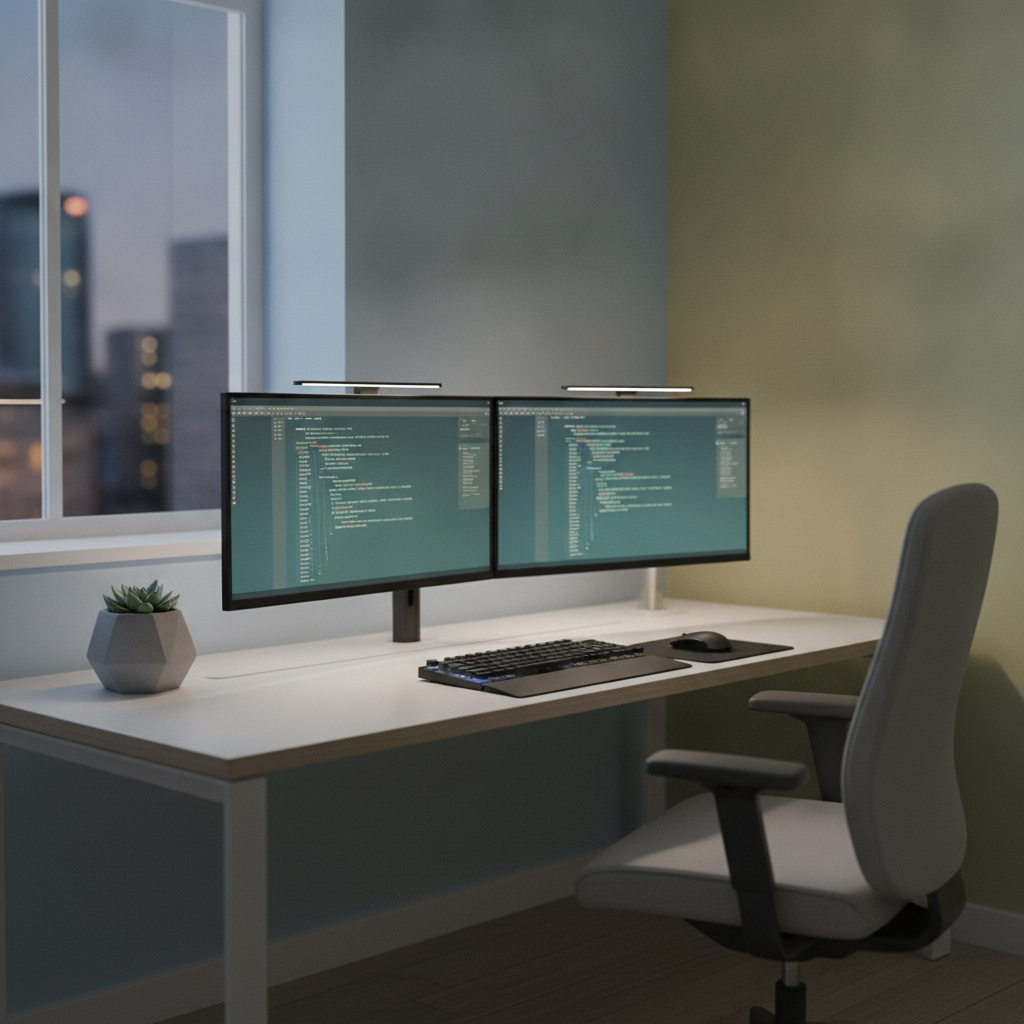
Optimizing Your Developer Workspace: How Room Colors Can Boost Coding Productivity
As a software developer, you probably spend countless hours staring at a glowing screen, hunting down elusive bugs, and architecting complex systems. We often obsess over having the perfect mechanical keyboard, a high-refresh-rate monitor, or an ergonomic chair to maximize our comfort. However, we tend to completely ignore the actual walls surrounding our setup. The physical environment where you write your code plays a massive role in your daily focus, mental endurance, and overall well-being. If you want to truly level up your work-from-home setup, changing your wall color is one of the most effective upgrades you can make. Partnering with experts like Mill Creek Painters can ensure the job is done flawlessly while you stay focused on your next development sprint.
The Psychology of Color in a Developer’s World
Color psychology is not just an interior design buzzword; it is a scientifically backed concept that explains how different hues affect our brains. For a software developer, the brain is the most important tool in the arsenal. You need an environment that supports heavy cognitive loads, logical problem-solving, and occasional bursts of creative thinking. When you are surrounded by the wrong colors, your brain has to work overtime to filter out subconscious visual noise, which can lead to faster burnout and decision fatigue.
Furthermore, the colors in your peripheral vision can subtly influence your mood and energy levels throughout the day. Think about how you feel when you switch your IDE from a glaring light theme to a soothing dark mode. The immediate sense of relief is undeniable. The walls of your home office function in a very similar way. They provide the visual background for your entire workday, framing your monitors and setting the baseline for your mental state.
Consequently, choosing the right paint color is just as crucial as selecting the right tech stack for a new project. A well-planned color scheme can lower your heart rate during stressful deployments, keep you energized during long debugging sessions, and make your workspace a place you actually enjoy spending time in. By intentionally designing your visual environment, you are essentially optimizing your brain’s operating system for maximum efficiency.
Best Colors for Deep Focus and Problem Solving
When it comes to sustaining deep focus for hours on end, blue is widely considered the ultimate productivity color. Scientific studies have shown that blue environments can actually lower blood pressure and reduce resting heart rates. For a programmer dealing with tight deadlines or complex algorithmic challenges, a calming blue workspace can be a game-changer. It promotes a sense of tranquility that helps quiet the mind, allowing you to enter that highly coveted flow state much faster.
Similarly, green is another fantastic option for a developer’s workspace. Green is the easiest color for the human eye to process, which means it causes the least amount of visual strain. Since you are already taxing your eyes by staring at monitors all day, painting your office a soft, muted green can provide a much-needed visual break. It brings a touch of nature indoors, which has been proven to reduce stress and improve overall well-being.
In addition to their calming effects, cooler tones like blue and green can actually make a small room feel more spacious and open. Many developers work out of spare bedrooms or compact home offices, so maximizing the perceived space is a great bonus. Whether you choose a deep navy for a moody, modern vibe or a light sage green for a fresh, airy feel, these colors will actively support your daily coding efforts.
Colors to Avoid When Setting Up Your Dev Setup
Just as certain colors can boost your productivity, others can actively sabotage it. Red, for example, is a highly stimulating color that triggers a sense of urgency and danger in the human brain. In the software development world, red is almost universally associated with failing tests, syntax errors, and critical system alerts. Surrounding yourself with red walls can subconsciously elevate your stress levels and make you feel like you are constantly in panic mode.
On the other hand, yellow is often touted as a cheerful and energetic color, but it is notoriously difficult on the eyes. Bright yellow reflects a massive amount of light, which can create terrible glare on your monitors and lead to severe eye fatigue. While a tiny pop of yellow might inspire creativity, painting an entire room this color will likely leave you feeling anxious, irritable, and visually exhausted by the end of your workday.
Therefore, it is best to steer clear of highly saturated, aggressive colors when designing your primary workspace. Even stark, hospital-white walls can be detrimental, as they often feel sterile and can cause intense glare when combined with bright office lighting. Instead of choosing colors that fight for your attention, you want hues that fade comfortably into the background, allowing your code to take center stage.
Finding the Perfect Balance with Neutrals and Accents
If you prefer a more minimalist aesthetic, neutral colors are an excellent choice for a home office. Soft grays, warm taupes, and muted earth tones provide a sophisticated, distraction-free backdrop for your dual-monitor setup. These colors are incredibly versatile and pair beautifully with the sleek black and silver hardware typical of a developer’s workstation. A neutral palette creates a grounded, professional atmosphere that helps you transition into a working mindset the moment you sit at your desk.
To keep a neutral room from feeling too boring, you can easily introduce personality through accent colors. The popular design rule of proportions works perfectly here: use a neutral color for the vast majority of the room, a secondary color for your furniture, and a bold accent color for small details like artwork, desk accessories, or RGB lighting. This approach allows you to inject some fun into your workspace without overwhelming your senses during a long coding session.
Moreover, pay close attention to the finish of the paint you choose. As a developer, you want to minimize screen glare at all costs. Glossy or satin paint finishes reflect light around the room, which can create annoying hot spots on your monitors. Opting for a matte or eggshell finish will absorb light rather than reflect it, ensuring your screens remain easy to read regardless of the lighting conditions in your office.
Bringing Your Ideal Workspace to Life
Once you have selected the perfect color palette for your developer workspace, the next step is execution. While it might be tempting to treat painting as a weekend do-it-yourself project, the reality is that proper wall preparation and painting require a significant amount of time, skill, and patience. Just as you wouldn’t want a novice pushing untested code to your production server, you shouldn’t leave your daily work environment to chance. Hiring professionals ensures a flawless, durable finish without eating into your valuable free time.
By bringing in experienced painters, you can avoid the hassle of taping edges, moving heavy desks, and dealing with uneven coats of paint. You can simply step away from your home office for a short time and return to a beautifully transformed space that is ready for your next big project. If you are ready to upgrade your home office, reaching out to Mill Creek Painters is the smartest move you can make. Their team understands the importance of a meticulous finish and will treat your workspace with the utmost respect.
Ultimately, investing in your physical workspace is an investment in your career. A professionally painted room not only looks incredible on video calls with clients or teammates, but it also creates a dedicated sanctuary for your best work. When your environment is optimized for focus and comfort, you will find it much easier to tackle complex logic, learn new frameworks, and consistently deliver high-quality code.
Conclusion: Compile Your Perfect Environment
In the fast-paced world of software development, every little advantage counts. Optimizing your workspace goes far beyond upgrading your hardware; it requires a thoughtful approach to your physical surroundings. By leveraging the psychology of color, you can create an environment that reduces stress, minimizes eye strain, and promotes deep, uninterrupted focus. Whether you opt for a calming blue, a refreshing green, or a sophisticated neutral, the right wall color can completely transform your daily coding experience.
Do not let a dull or distracting room hold back your productivity any longer. Take the time to evaluate your current setup and consider how a fresh coat of paint could improve your workflow. When you are ready to make a change, trust the experts to bring your vision to life. Be sure to contact Mill Creek Painters to start building the ultimate developer workspace today.
📍 Visit Mill Creek Painters
Address: 10060 Jasper Ave Tower 1 Suite, Edmonton, AB T5J 3R8, Canada
Phone: +15874001475
Website: https://millcreekpainters.com